• open panel

Fun Sparks Creativity

At mettle, we believe that software should be fun to use. That this leads to better and more creative work. We design our plug-ins with this in mind. So it’s a pleasure to get feedback like this:

“Hi, I’m a motion graphics artist and partner at Spark Webforge, and I just want to tell you all how much I’ve enjoyed using both FreeForm Pro and ShapeShifter AE. I would like to share with you this short animated logo montage I made for my company. Check out the mettle plug-ins at 00:44 to 01:22.”


“It was your Superman logo tutorial that really, really, really got me interested in learning ShapeShifter. I mean, the ability to do full 3D without the need of any external software was an absolute must-have! Not only that, it’s extremely flexible especially when working on a lower-end laptop. I use a core i5, geforce gts 360m, 4gb ram laptop to make all those logos.” :)
Cheers-Jason Richard Moll


Born in Salinas California, Jason grew up in the Philippines. He studied Communications and Arts in De La Salle University, in Manila. He gained experience in different jobs, including tech writer and SEO. After a few years he landed back in video production, something that he had done part-time in University. He didn’t have enough technical skills in post-production, so he learned After Effects on his own. (Sound familiar? See the previous posting about Mr. Eric D. Kirk.) Jason looked on-line for tutorials, and landed on the mettle website. He tried out the plug-ins and was immediately hooked. He is a partner at Spark Webforge, along with Mickey Castaño, and Mheo Soriano. They are based in the Philippines.
 

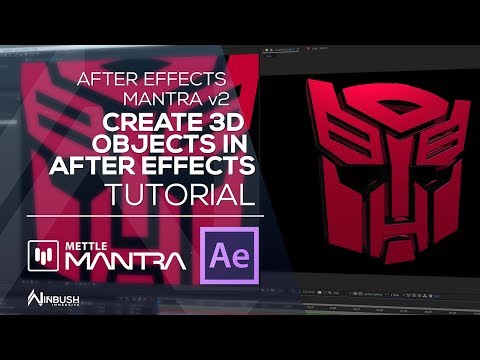
Take a look at the Superman logo tut that Jason talks about:


Thanks Jason! Keep up the great work.


A Second Career for a First Love

Mr. Eric D. Kirk recently completed work on closing credits for Treachery, a film starring Michael Biehn (Terminator, Tombstone, Abyss) under Blanc Biehn Productions. Eric used After Effects, with Mettle’s FreeForm Pro and ShapeShifter AE to get the job done.

Remarkably, this is a second career for Eric. He is fulfilling his lifelong dream of working in film, a passion that he put aside to focus on a first career with the US military.


In Eric’s own words:

“I recently had the distinct pleasure of using two of my favorite After Effects plugins (Free Form Pro and Shapeshifter) as part of a movie called “Treachery” in which I needed a snazzy look for the closing credits for the movie.

Treachery, by the producers own account is a grindhouse film starring the great Michael Biehn (Terminator, Tombstone, Abyss) under Blanc Biehn Productions. Cast included Jennifer Blanc Biehn (The Victim, and recent Director of The Night Visitor), Sarah Butler (I Spit on Your Grave), Richard Gunn, Matthew Ziff, and Caitlin Keats (Kill Bill Vol 2) to name a few.

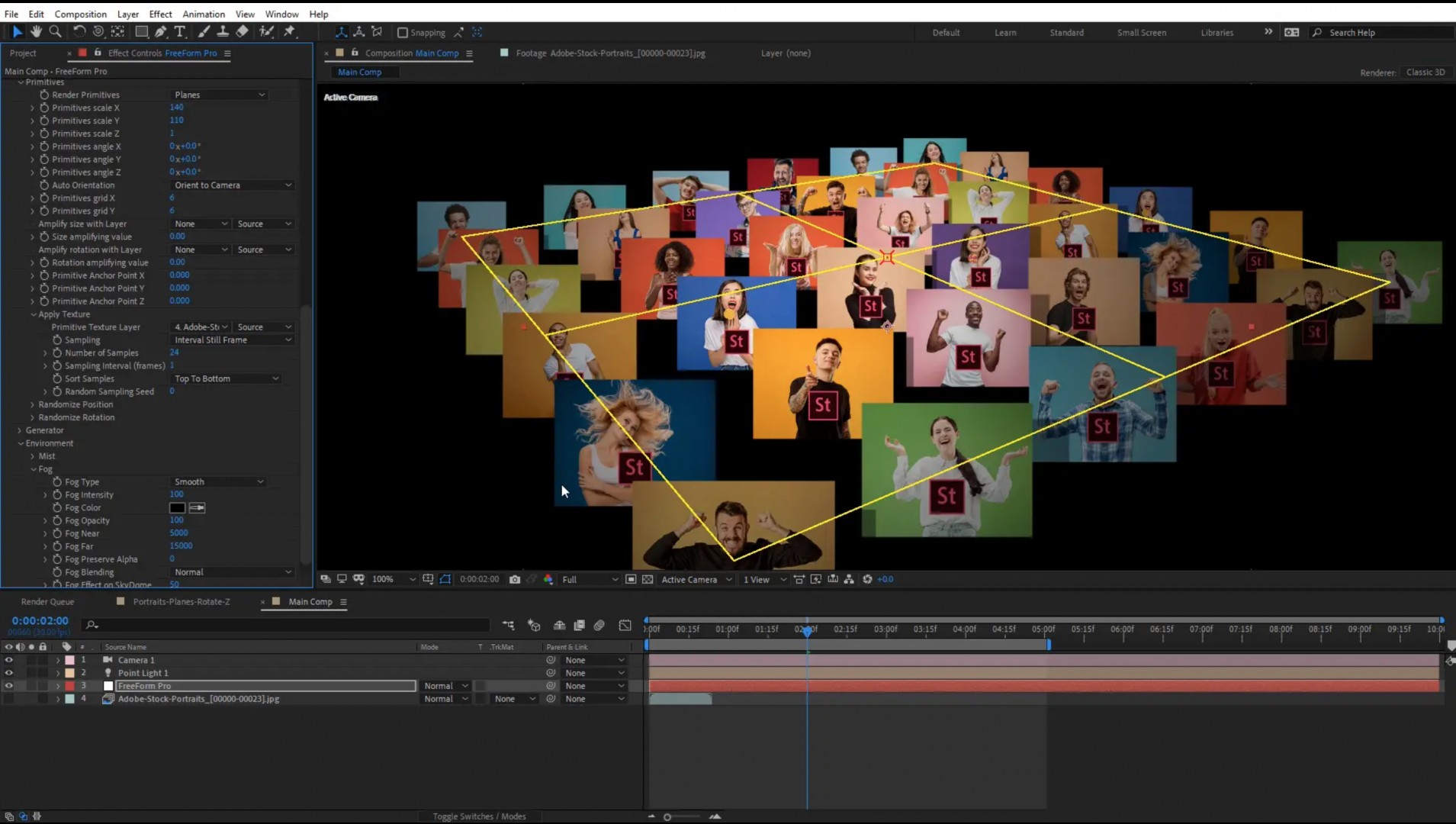
Along with a ton of visual effects shots within the movie, the ending called for a credit scroll that was something different than the norm. Jennifer Blanc Biehn just mentioned she would like for it to include still images in the background. She was nicely surprised to see not only still images, but images that were animated to move about the screen. The credits included over 30 pictures, each of which were animated to fall in to frame in a slightly different position and subsequently then, animated out of the shot. Free Form Pro was the perfect tool for the job!

Free Form Pro allowed me to quickly and efficiently apply a unique effect that I could copy from one picture to another and then make minor adjustments to position, rotation, and mesh animation settings. No other plugin out there could have made this any easier. The Shapeshifter plugin, while only used once was actually carried through the entire shot but only animated at the very end. However, the ending leaves you with a cool, gritty image taken right from the DVD cover art producing an image with depth and elevation to conclude the credits.

These effects were easily delivered by the fine products from Mettle.

Thank you Mettle!” – Eric D. Kirk, Kirk Productions


Eric has kindly put together a tutorial on how to do the closing credits for Treachery.


Eric also used some mamoworld products in Treachery, and has a tutorial at mamoworld.com.


More About Eric

Eric is a 48 year-old military officer retiree residing in Maryland.  With an interest in cameras since high school, he collected old still cameras and wind up 8mm cameras.  One of his first films, a knock off of Mr Bill from SNL, shot on his first 8mm would never see the light of day, however his interest in film stuck with him through a 20 year Army career.  He dabbled in developing his own still photography and slides while serving an assignment in Germany in the mid 80s, before shelving things to carry on his military career.

Some 15 years later (2002), he purchased a high end standard definition Canon video camera and the bug was back.  Now, with the ease and low cost of video production, he began writing and directing small shorts and entering commercial contests.  It was the demands he set on himself to learn everything (directing, editing, audio, effects, etc) that drove him outside the editing realm and in to special effects and 3D animation.  As a result, he taught himself how to use Lightwave 3D and After Effects so that he could do everything himself, which involved a lot of tutorials and becoming acquainted with an expert in Lightwave 3D, Mr Julian Baum of Take 27 LTD

Eric D. Kirk Doritos Commercial

Eric in the driver’s seat, in a video he put together for Doritos.


Once in to After Effects, the resources seemed limitless. About 3 years ago he lasered in on the plugins by Mettle where he bugged Chris relentlessly on pointers for use, while watching every tutorial Nancy and others put out on the subject.

In January 2013, he provided some unsolicited animation samples via Facebook to Jennifer Blanc Biehn, of Blanc Biehn Productions.  She asked if he could do other effects such as adding window rain and darkening windows that were shot in day time (which was a very complicated task).  After showing a previous example he already had of a “dry day to dreery rainy day conversion” her response was “Dude, we need you on Treachery”. And that is how he began working on Treachery.  He has since been engaged in doing special effects for Jennifer Blanc Biehn’s Directorial Debut for “The Night Visitor”, as well as an upcoming remake of ”Hidden in the Woods” which will star Michael Biehn as its lead.

See the work that got him the job: 


Eric in his studio.


Congratulations Eric. We wish you continued success in your film-making career.


FreeForm Pro Generates Great Effects

UDA sent us a video that they prepared, using FreeForm Pro. It’s a great example of creative work done entirely within After Effects, using single imported images from PhotoShop.

FreeForm Pro has a built-in particle system called The Generator. It lets you replicate or clone your 3D layer many times. The whole set of clones can be controlled together, as a unit, within the FreeForm Pro interface. It’s an easy way to create beautiful, complex-looking animations. Thanks to UDA for the submission!


More examples of The Generator:

This animation uses the shape morph feature of FreeForm Pro, along with The Generator, to replicate or clone the image.


This animation was created with a single feather image created in PhotoShop, and imported into After Effects. The Generator from FreeForm Pro was used to replicate, or clone the image into multiple 3D layers, and animate.


Character Animation with FreeForm

We have received many requests for info about character animation in After Effects, using FreeForm Pro. Well, we also wanted to let you know that basic character animation is also possible with FreeForm.

Digieffects FreeForm, (bundled with CS5), and FreeForm V2 (CS6+) can both be used for character animation. FreeForm was created by Chris Bobotis, a partner at mettle. It was originally published by digieffects, but the newer version is sold directly through mettle.
For info on character animation, We usually direct people to the tutorials by Dan Gies. He does a great job at explaining things. We’ve reorganized our tutorials sections, making it easier to find the tutorials by software plugin; FreeForm, FreeForm Pro, and ShapeShifter AE. We have also included many more tutorials.


There’s a great basic Character Animation tutorial by Dan Gies, for those of you who want to see how he does it. He created this for the bundled FreeForm for CS5, but it also works with FreeForm V2 for CS6+


You can also check out our FreeForm Pro tutorial section, where you’ll find all of Dan’s more advanced tuts. Thanks Dan, for all your great work. We love it! And many thanks for all the great tutorials using our products.


Gear Box by asART

“All I had to do was create simple shapes and animate them inside a PreComp.” – Abdy Shamloo, asART, Switzerland


We’re always happy to see what customers create with our products. Abdy liked working with ShapeShifter AE so much that he sent us this video with the following description:
 

“I decided to start using ShapeShifter because it’s a really fast and powerful plugin. You can create 3D text and extruded dynamic shapes directly inside AE. Creating the same animation in other 3D programs  would take much longer to complete. And it would be much more complicated to make any corrections.

With ShapeShifter I can save lots of time and do everything I want directly in AE. Just simple 2D animation stuff that everyone knows how to do and ShapeShifter will do the rest for you. The user interface is easy to understand. There are endless possibilities to create dynamic and unique animations, which can’t be done so easily and quickly in any other 3D applications that I know.

But the great products of Mettle are not the only thing you’ll get. There is also amazing support from Mettle which helps you to achieve the best results and have fun while you are using their products.

I hope you’ll like my work… Many thanks!”


Hardware:
CPU = Intel i975 Quad Core Extreme
RAM = 24GB DDR 3 / 2000
Graphics card = nVidia Quadro 5000 / 2.5 GB RAM
Mainboard = ASUS P6TD Deluxe
Harddisk = 4x SSD Harddisks | Write Speed = 500MB/s | Read speed = 550MB/s
Software OS: Microsoft Windows VISTA 64 bit
 

http://www.as-art.ch
https://www.facebook.com/asart.3ddesign
http://www.as-art.ch/twitter
http://www.as-art.ch/youtube
info@as-art.ch
 

Abdy Shamloo is a Swiss-based designer who enjoys creating motion graphics, visual effects and 3D models & animations. He started doing graphics with Adobe PhotoShop and Illustrator 16 years ago. In 2009 he began creating motion graphics in After Effects and modeling 3D  objects in Autodesk 3D Studio max.


Tutorial Series by Trevor Coates: Part 3, 4 and 5

We continue with Trevor’s great tutorial series, currently being hosted by aetuts+. We’ll see how Trevor uses ShapeShifter AE for his 3D logo design and animation in After Effects. This includes 2D filters, transitions, compositing, grading, and how to cast shadows. Thanks Trevor – awesome job!


Part 3: Trevor shows us how he created his 3D logo design using ShapeShifter AE + 2D filters, transitions etc. to create animated texture (color) and displacement maps.


Part 4: Trevor shows us how he created his 3D logo design using ShapeShifter AE. Trevor covers compositing, grading, show us some neat tricks and adds some finishing touches to this sequence.


Part 5: In this bonus tutorial Trevor shows us how he adds shadows to After Effects layers.


Tutorial Series by Trevor Coates: Intro and Part 2

There’s a great tutorial series from Trevor Coates, being hosted on aetuts+. In it, Trevor explains how to create and animate a 3D logo in After Effects. The logo just happens to be his version of the Superman logo, inspired by our Superman Design Challenge!


Introduction to the 5-Part Series

Nancy presents the intro to the tutorial series, where Trevor explains how to create his 3D Superman logo. He  walks us through his meticulous design and creative processes, where he explains the importance of research in redesigning a logo. This includes his reviews and critiques of classic Superman logos. Technically, Trevor’s comfortable working in Maya and ZBrush, but he chooses to work with ShapeShifter AE. He’s truly inspiring, and a great teacher!


Part 2: Modeling the Superman 3D Logo with ShapeShifter AE & Variable Feather Mask

In this tutorial Trevor shows us how he sculpted the 3D logo design using ShapeShifter AE + variable feather masks. He also uses 2D filters that ship with After Effects to create displacement maps.


Trevor Coates is a terrific designer, and is no stranger to working with Superheroes! He’s the owner of Leapfrog Strategic Communications, in Sydney Australia, and has plenty of experience working in film and advertising. (Including: Thor, Captain America, Mission Impossible, Voda Phone, Optus, Toyota, Lexus, Coca-Cola, Foxtel, Weldon Publishing, VW, Grand Design Australia, Hopscotch, Lionsgate) as well as interactive (Unity3D – Weldon Publishing, Toyota and GroCon). Trevor is super-talented, and works in broadcast design, 3D (includes Maya and ZBrush), motion graphics and games.


We think it’s great that Trevor chooses ShapeShifter AE as a worktool. Thanks Trevor. :)


Bundle Up and Save!

Now available! Mettle product bundles, with savings up to 30%.

We’re very pleased to introduce our bundles. We’ve created them based on customer preferences and demand. So go ahead, buy a bundle and – Don’t Wait… Create!

Mettle Suite Bundle


Pro Suite Bundle


FreeForm Expansion Pack Suite


Mettle Interviews Gary Bird – Winner of the Superman Design Challenge

Kenya. Seychelles. England. Australia… A father whose artwork was gifted to the Queen of England… An advertising apprenticeship in Cyprus… These are just some of the surprising influences in the life of Gary Bird. For the full scoop, read on!


The Winning Entry


Nancy: Congrats again on winning the Superman Design Challenge. You did a great job. :)
Gary: Thanks… I was so surprised to win given the standard of the other entries.
 

You’re too modest! Obviously many people liked your entry. So we know that you’re located in Perth. Are you Australian by birth?
I’m a ‘British colonial mongrel’, born to English parents in Kenya, then following the sun to Seychelles, back to England for boarding school education, then Cyprus, then Perth where I’ve been for the last 31 years.
 

Wow! That’s quite the circuit. :) How has living in Australia affected the way you work?
 There’s an open-mindedness here that allows for any kind of creativity and a ‘just-get-on-with-it’ attitude. And Perth’s isolation has historically encouraged extra effort!
 

What is the motion-graphics industry like there?
Fairly small – unfortunately most of it seems to be done on the east coast in Sydney and Melbourne.
 

So is there a specific style that emerges, or does it mimic other geographic areas, like the US or UK?
In motion graphics, we tend to keep pace with the US, Canada (!) and Europe, without a really specific Aussie look. The beach/sun/surf-lifestyle does come through occasionally.
 

What type of training did you do? Are you self-taught or did you go to art school?
My dad and older sister were both ‘traditional’ artists – dad was a successful sculptor as well, a couple of his pieces gifted to the Queen and Prince Charles on their visits to Kenya. I was always fascinated watching and trying to copy them. I had basic secondary school art and got my ‘A’ level in it to get into university, but chose an ‘apprenticeship’ instead with BBDO Advertising in Cyprus as a junior designer. In my first 9 months I learned pretty much everything – airbrushing, typography, calligraphy, layout, fashion illustration, typesetting (before computers!) from some of the best people in the industry at the time. The best on the job training I could get.
The tech came later with early Macs, which I took to like a duck to water, luckily. But I had to learn on the job again, by myself. Which actually forced me to experiment and learn more.


How long have you been using After Effects?
10 years. A co-worker suggested I try it back in 2002, after seeing me stumble around trying to animate in various primitive programs. I took one look and ran for the hills, completely intimidated at first. Then I crawled out and started gingerly prodding it around, and sort of fell madly in love the next day. Can’t be without it now.
 

Beside AE, what programs do you use?
Illustrator, Photoshop – the usual suspects, plus lots of plugins (Mettle’s amazing ShapeShifter and FreeForm Pro, Element 3D, Trapcode, etc.) and a huge font library. I have a love of fonts. I started on Macs then moved to Windows in 2003 and actually prefer it – better video cards available, lower cost, more resources out there.
 

Thanks for the compliment. We’re happy that you like our plug-ins! Tell us what type of work do you do?
Most of my work is educational/corporate, so I augment that with heaps of very short experimental stuff, exploring different styles and motion design techniques. I’m not really an illustrator or photographer. I don’t have the patience! I prefer using type, colour, shapes, depth, texture, lighting, sound and motion. Favourite projects for me incorporate those elements to convey some sort of emotion to the viewer.
 

And what inspires you in your projects?
That extends from Caravaggio and Klimt, through to art-deco and nouveau, Bauhaus, European travel posters of the 20s and 30s, sunlight, water, clouds, leaves, signage, beautiful music, etc, etc!
 

That’s quite a range! Whose motion graphics work do you admire?
Marcus Eckert, Brightphoton, schoenheitsfarm production, Conran Design Group, Christopher Guinness and too many others to list.
 

Can you give a link to a piece that you really like?
Brightphoton’s 2010 reel: https://vimeo.com/10578969 because it’s a reminder of what can be done and what I aspire to do.
 

Who do you work for? Can you tell us how you’re set up?
I work for the Department of Training here in Perth, and occasionally freelance for my own small business when I have time. At the department I work in the Audio Visual section, with a couple of editors, cameramen, producers, and sound engineers, using Avid editing systems but now moving to Premiere Pro, etc. thankfully! I have a couple of Windows desktop PCs running old XP and Win7 64 bit, Adobe’s Master Collection on both. Personally, I dislike laptops and pads, but will probably move to pads at least in the near future. I have an Intuos 5 touch tablet at work.
 

Can you explain how you work through a project? ie. Do you start by sketching? Or do you go right to the computer?
I get a brief (sometimes VERY brief) and mull it over, sometimes doing a very rough sketch or storyboard, for myself only (!) so I know where I’m going I have to admit, most of time nowadays I jump straight onto the computer and go from there. I tend to work solo on most projects, so have more control, which is nice. Best ideas wake me up at 2am! Inspiration can come from the smallest things – a doorhandle, a creaseline on a car, someone’s shirt pattern, an old book cover.
 

It sounds like you truly have an artist’s eye. What activities do you enjoy outside of work? Australia is a very outdoors-oriented society. Do you participate in that lifestyle?
I read copiously. I used to be active in amateur theatre on and off stage a few years ago – another creative outlet, but one that became too much to handle with a full-time job. And yes, I used to be very active – cycling, beach runs daily, jogging, weights, etc. Perth has some of the best beaches anywhere. But I’m getting lazy in my old age, so much less of that now. I blame computers :)
 

Now for my last question: If you were an Australian animal, what would you be, and why?
Great question! An Emu. With my surname I seem to have an affinity with the feathered species. And they are very curious, inquisitive creatures. Not too good on computers, though ;)
 

That’s a great answer! Lucky you to be in Australia and get to see an actual Emu in its native habitat. Thanks again Gary, for participating in the Design Challenge. And thanks for using our products.
Thanks Nancy!


Take a look at some of Gary’s motion graphics:


Take a look at some of Gary’s print work:


Best Wishes for a Happy New Year

On behalf of everyone at Mettle, we’d like to send our best wishes to all for a terrific 2013. Thanks to our customers, for all the terrific work that you have created, and for your confidence in our products. We really enjoy seeing the work that you do with our plug-ins. Heads up – we have lots of great stuff in store for 2013!


Dan Gies Tutorial Series: Making of Flight of the “Rocket-Dees”

Dan Gies has put together a great tutorial series, which is being hosted on aetuts+. The series explains how to do a character animation entirely in After Effects. Dan uses FreeForm Pro, Trapcode Particular, Expressions, and the After Effects Puppet Tool to animate his Rocket-Dees bird character. The wing animation is done using FreeForm Pro.
You may remember Dan from some of his previous work. He is a self-titled digital puppeteer, who creates all his own characters, and animates them in After Effects. He finds that by creating in AE, rather than a 3D program, he can spend his time creating, instead of waiting for/managing renders! @ Dan – great work. :)


The Bevel Made Me Do It

Lots of variety in our latest FREE After Effects Project File: Bevels and Styles. There are 14 different Bevels, 11 different Styles, and 1 animated Bevel. Wow. Very dynamic. Chris at Mettle has created this great-looking and very handy project file using our ShapeShifter AE plug-in. Great work Chris!