• open panel
  • Home
  • Archive by category 'FreeForm V2'

Archive for ‘FreeForm V2’

FreeForm V2 Covers Ground for American Express

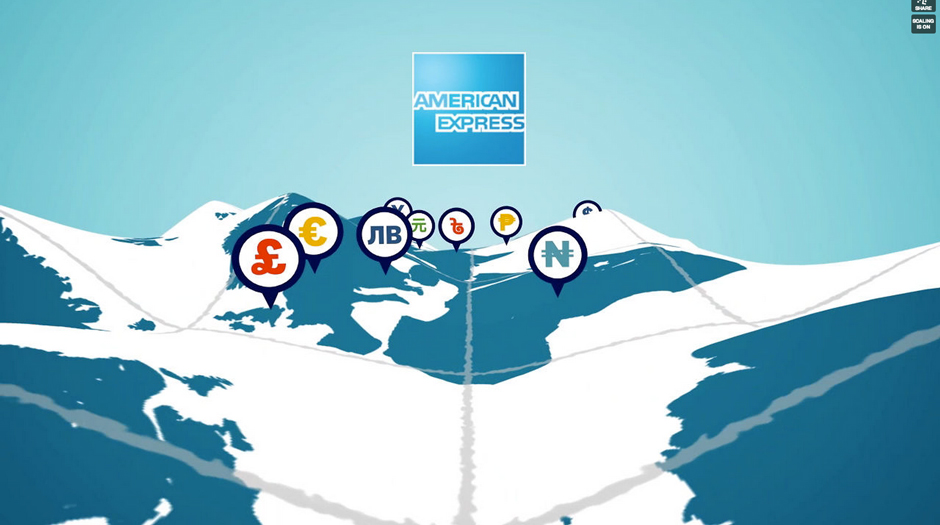
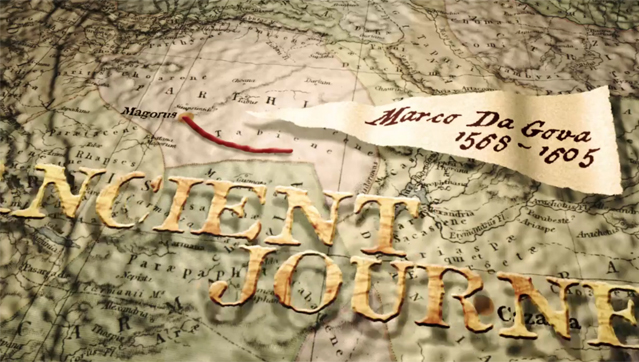
Andrew Embury has created a terrific animation for American Express using FreeForm V2. The terrain distortion is done using FreeForm V2, which can easily transform a flat layer into a 3D grid with control points; perfect for terrain. Each control point on the grid can be independently controlled over time and 3D space. Entirely in After Effects. Thanks Andrew – great stuff!

FreeForm V2 is the update to digieffects FreeForm, the plug-in that was bundled with After Effects CS5. FreeForm V2 has the same great features but renders up to 10 x faster than digieffects FreeForm. FreeForm V2 works in CS5 and CS6, Mac and WIN.


Andrew Embury is an Award–winning motion design director, producer and editor at AE Consulting Inc.  With a career start at the largest animation studio on the east coast of Canada (Fatkat Animation Studios) and more recently working for one of the top mobile manufacturers. Andrew often gives talks on motion design and animation at conferences, colleges and small businesses.  His client list includes: VW, American Express, RIM, Toyota, Coca-Cola, Pepsi Co., NHL, NBA, Microsoft, Sylvan Learning, Family Guy, & Happy Tree Friends to name a few. Andrew currently resides in Waterloo, Ontario and trains too hard for his own good.
Check out Andrew’s work at: http://www.aembury.com
 

Don’t Wait… Create!


What about digieffects FreeForm? That version of the plug-in was bundled with CS5, and works in CS4 and CS5. FreeForm V2 is a recompiled version that renders up to 10x faster, and works in CS5 and CS6.


FreeForm Pro and Evolution of Style 2

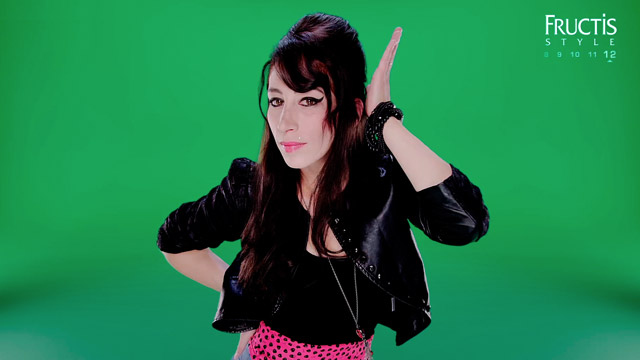
Lady’s turn! Here it is: the female version of Evolution of Style. You may recognize this as part of an ad series done for Garnier. We did an earlier blog posting for Evolution of Style, which showcases the men’s hair products.

All visual effects for this sequence were created entirely in After Effects, by Morgan Préleur and the team at noside.fr, using mettle’s FreeForm Pro and FreeForm V2 plug-in.
Re:Flex was used for the body alignments and face morphing, while mettle’s FreeForm Pro and Freeform V2 handled all the clothes 3D morphing.

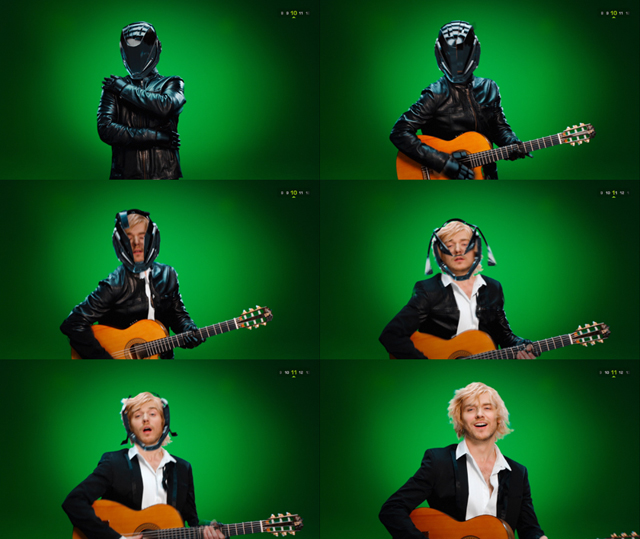
Here are 6 frames taken from the sequence to illustrate the 3D morphing.


FreeForm Pro and FreeForm V2 allow you to bend layers on the X,Y + Z axis via control points and tangents that are displayed for use in the After Effects comp window. This makes them the most flexible and intuitive way to deform an After Effects layer, bar none! Add to that, the 3D displacement mapping feature found in FreeForm Pro and FreeForm V2, and you can get some incredible effects right in After Effects.


Here are some shots from the set:


Here is the men’s version of the video: Evolution of Style.


Mettle and The Montreal Canadiens

At Mettle, we not only develop software plug-ins, but work on motion graphics projects as well. Our plug-in ideas are often drawn from our real-world experience working on projects, such as this one for The Montreal Canadiens.


Mettle is currently working on a sports motion graphics project for our hometown NHL hockey team, The Montreal Canadiens. Chris (chris@mettle.com) is leading a team of editors and motion graphics artists for this project. They are pushing CS6 and a slew of third party plug-ins to the max, for awesome results.

The format they are working to is 5000 x 1080 pixels @29.97. CS6 has proven to be indispensable. The new Global Performance Cache, the Variable mask feathering, and the 3D camera tracker have helped tremendously.

The footage for this project was shot at HD 1080 and in many cases has to be scaled and reframed to 5000 x 1080. RGS + Mettle plug-ins have proven to be invaluable for this project.

Look for more images and footage to be posted. Go Habs Go!


Dan Gies Free Puppet Download for FreeForm V2 + FreeForm Pro

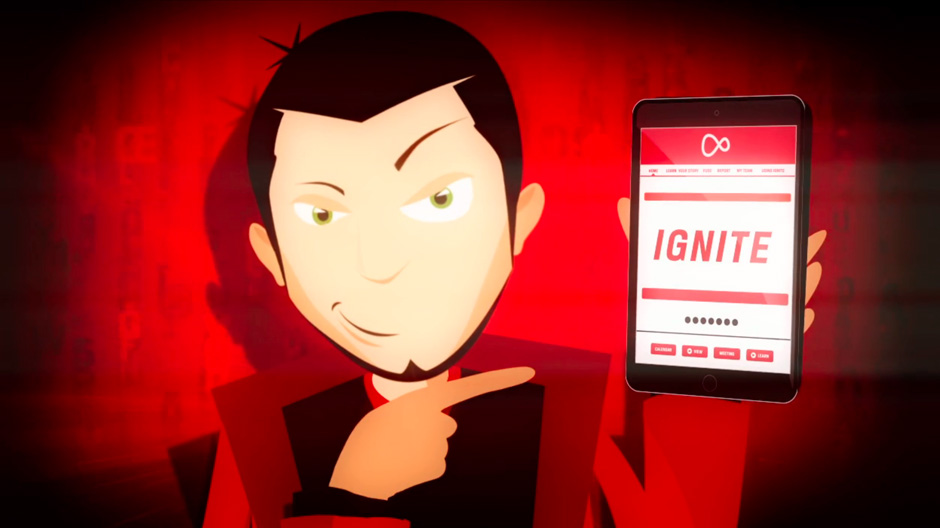
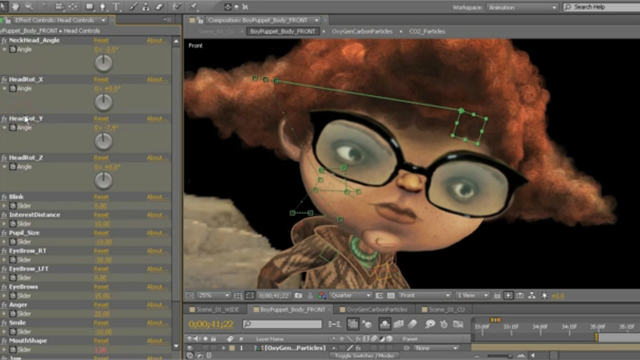
Dan Gies has created a fully rigged 3D puppet, based on his CO2 character (see below), available now for free download! There is a project file for both FreeForm V2 and FreeForm Pro. Thanks Dan!


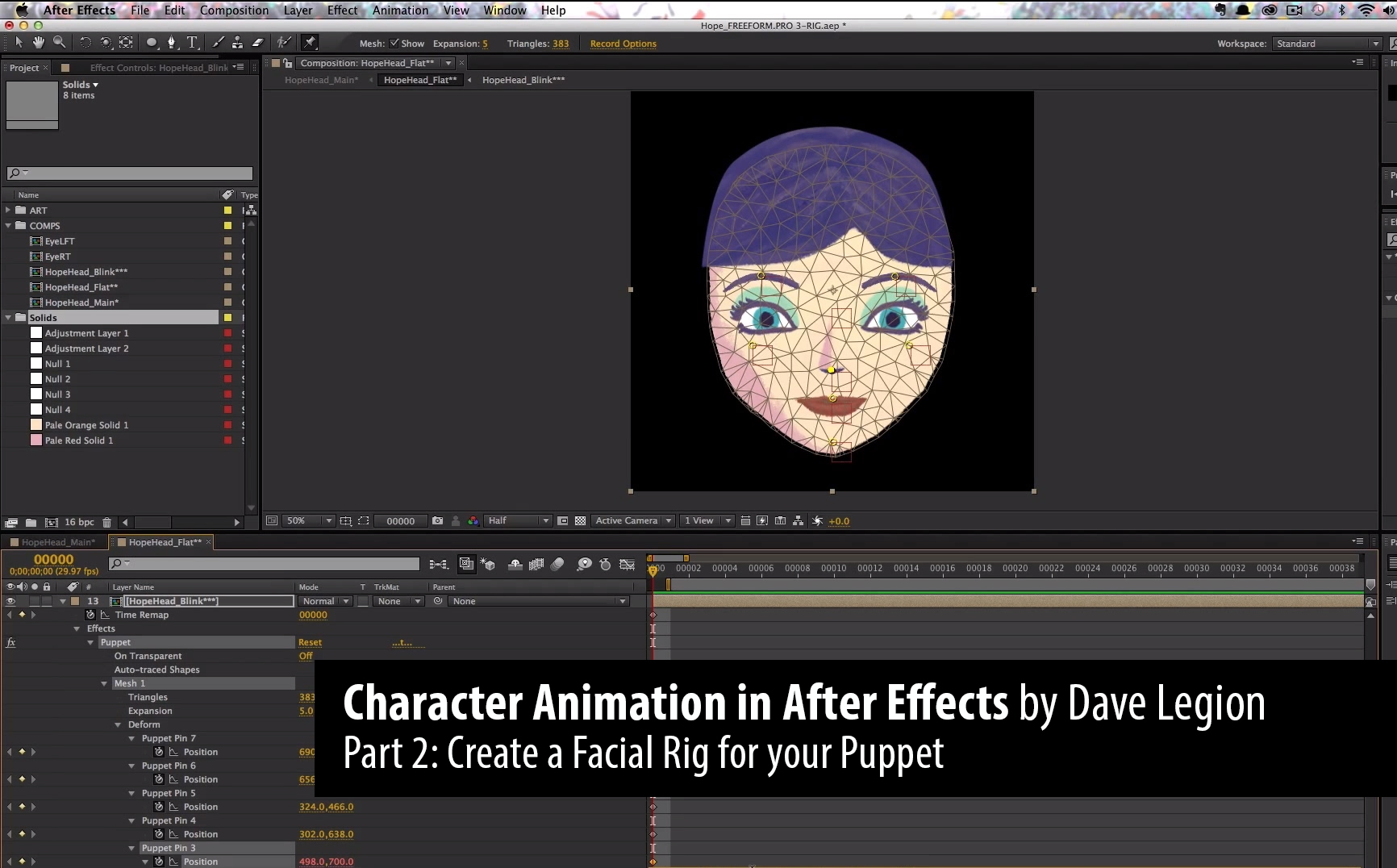
You may already be familiar with Dan’s work as a digital puppeteer. The video above serves as an overview and an intro to a 18 part series on Character animation in After Effects using FreeForm Pro, that was posted on AE tuts+. We are very proud that our products are an important part of the toolset that Daniel uses for his creations.


FreeForm V2 for CS6: Fast, Flexible and Ferocious!

As you may have noticed, FreeForm is no longer bundled in CS6. Luckily, a much faster version, FreeForm V2, is available for CS5 and CS6, at mettle.com.


Of course, all projects created with the version of FreeForm that came bundled with CS5 can be opened with FreeForm V2.

FreeForm V2 is a must-have 3D mesh-warp plug-in for After Effects. FreeForm V2 still offers waaay more functionality than the built-in bendable layer in CS6. Howz that you ask?


1) Waaay more control of the layer that you want to bend, twist and distort.

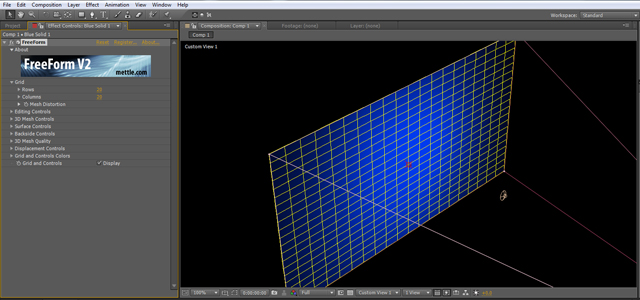
FreeForm V2 displays up to 20 x 20 control points along each edge of your plane = 400 tangent control points! Kinda like AE’s Mesh Warp, but in 3D. Sick…

All control points and tangents are displayed in the AE comp window, and can be manipulated and animated in 3D. Woohoo!


2) 3D Displacement Mapping:

Use a layer’s luminance values to push in or pull out a 3D image on the z-axis! Animate it over time… Yowza!


Don’t Wait, Create!


FreeForm V2 Used for 3D Morphing in Evolution of Style

This sequence was created entirely in After Effects, by Morgan Préleur at noside.fr, using the FreeForm V2 plug-in. Here at mettle, we are often asked how FreeForm was used in this sequence. Here is what Morgan Préleur has to say:

Re:Flex was used for the body alignments and face morphing while mettle’s Freeform V2 handled all the clothes folding (shirts tearing apart, jacket wrapping, helmet transformation, and so on…). Freeform V2 really proved to be an incredible tool and allowed us to achieve complex 3D deformations under tight deadlines. FreeForm’s ability to handle a lot of surface points while remaining totally interactive allows for a more creative and iterative process, we can experiment and come up with improved solutions which is crucial when speed is the key factor. It is a must have in our tool set for upcoming commercial works.
 

The easiest way to see how the morphing is done is to look at the sequence frame by frame. We have taken 6 frames from the sequence to illustrate this point. The movements are well choreographed between the actors, and you can see how the footage is bent and morphed.

FreeForm V2 allows you to bend layers on the X,Y + Z axis via control points and tangents that are displayed for use in the After Effects comp window. This makes FreeForm V2 the most flexible and intuitive way to deform an After Effects layer, bar none! Add to that, the 3D displacement mapping feature found in FreeForm V2, and you can get some incredible effects right in After Effects.


FreeForm V2 is available for MAC and Windows, for CS5 and CS6.

 
  • Page 1 of 2
  • 1
  • 2